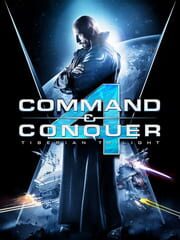
Command & Conquer 4: Tiberian Twilight
Quick facts
- Single player
- Yes
- Multiplayer
- Yes
- Online co-op
- Yes, up to 2 players
- Split-screen
- Not listed
- Languages
- 7 languages
From IGDB, the game database run by Twitch. See the questions below for details.
What you need to play it
Pick your device.
Linux requirements have not been published. Check the game’s store listing for supported systems.
| Minimum | Recommended | |
|---|---|---|
| Processor | Intel Core 2 or better, AMD 64 X2 or better | Intel Core 2 Duo 2.6 GHz; AMD Athlon 64 X2 Dual-Core 5600+ |
| Memory | 1 GB (1.5 GB Vista and Windows 7) | 2GB |
| Graphics | 256 MB (SM 3.0) - Nvidia GeForce 6800 or better, ATI Radeon X1600 or better | 256 MB (SM 3.0) - Nvidia GeForce 8800 or better, ATI X1900 or better |
From the publisher’s listing on Steam.
Can my PC run it?
Pick your parts for a quick check against the requirements above.
A rough comparison based on typical performance of each part. Laptop versions of a chip are usually slower.
Common questions
Can you play Command & Conquer 4: Tiberian Twilight alone?
Yes, Command & Conquer 4: Tiberian Twilight has a single-player mode.
Is Command & Conquer 4: Tiberian Twilight multiplayer?
Yes. Listed modes: Multiplayer, Single player.
Does Command & Conquer 4: Tiberian Twilight have online co-op?
Yes, Command & Conquer 4: Tiberian Twilight supports online co-op for up to 2 players.
Does Command & Conquer 4: Tiberian Twilight have split-screen?
No local split-screen mode is listed for Command & Conquer 4: Tiberian Twilight.
What languages does Command & Conquer 4: Tiberian Twilight support?
Audio: Russian. Interface: Chinese (Traditional), English, French, German, Korean, Polish, Russian. Subtitles: Chinese (Traditional), Polish, Russian.
Can my PC run Command & Conquer 4: Tiberian Twilight?
The minimum is Intel Core 2 or better, AMD 64 X2 or better, 1 GB (1.5 GB Vista and Windows 7) and 256 MB (SM 3.0) - Nvidia GeForce 6800 or better, ATI Radeon X1600 or better.
What platforms is Command & Conquer 4: Tiberian Twilight on?
Linux, PC (Microsoft Windows).